IX Pricing and Contract Terms
The key factors that determine IX pricing are the distance between your Port and the IX location, the rate limit that you configure, and the term that you choose.
Pricing structure
IX pricing is based on distance:
-
Local IX – An IX connection within the same metro area as your Port incurs no additional charge for the connection itself. You only pay for the Port.
-
Remote IX – An IX connection in a different metro area than your Port incurs charges at VXC rates. These rates are calculated based on the distance between locations, rate limit, and the term of the IX connection.
For more information, see VXC Pricing and Contract Terms.
Contract terms
When you create an IX, the Megaport Portal displays the monthly cost before tax on a Summary page before you confirm the order. The price is determined by the distance between your Port and the IX location, the rate limit that you configure, and the term that you choose. Local IXs remain at $0 and are eligible for term commitments.
When you deploy an IX, cost accrual begins immediately. In the Megaport Portal, you can make the following changes to pay-as-you-go or long-term contracts:
New IXs
Select No Minimum Term to pay-as-you-go, or select a 12, 24, 36, 48, or 60-month term, billed monthly. The default term is 12 months. If you don’t renew the contract at the end of the term, the contract will automatically roll over to month-to-month contract for the following billing period, at the same price, without term discounts.
For more information, see Joining an IX.
Longer contract terms have these benefits:
- Fixed base rate cost
- Discounts based on the term duration. Longer terms result in a lower monthly rate.
- Reduced peering costs
You can change the rate limit while the IX is on a term. The IX rate limit can be increased or decreased, provided it is not reduced below the original committed term speed. For more information, see Changing the Speed of a Termed IX.
Existing IXs
In the Megaport Portal, you can make the following changes to a month-to-month or long-term contract:
- Add a 12, 24, 36, 48, or 60-month term to a month-to-month IX on No Minimum Term.
- Extend a term on an existing contracted IX.
- Increase or decrease the rate limit.
- Renew a term in the last month of a contracted IX, before the term expires.
After making a term change, the Portal begins a new term on the next billing date.
-
Existing IXs on a minimum term – You can renew a 12, 24, 36, 48, or 60-month term, or extend to a longer term. You can extend a minimum term at any time.
Enable the Minimum Term Renewal option for services with a 12, 24, 36, 48 or 60-month term to automatically renew the contract at the same discounted price and term length at the end of the contract. If you don’t renew the contract, at the end of the term, the contract will automatically roll over to month-to-month contract for the following billing period, at the same price, without term discounts.
For more information about changing a term, see Joining an IX.
-
Existing IXs on No Minimum Term – You can add a 12, 24, 36, 48, or 60-month term to an IX on No Minimum Term.
-
Expired IX terms – Renew a term contract after it has expired. After an IX term expires, the monthly rate reverts to the standard rates.
Note
- Not all contract terms can be changed in the Portal. If an option is not available, it will be grayed out. Contact your Megaport Account Manager for more information.
- To provide adequate time for you to extend or renew the IX, Megaport will notify you via email one month ahead of term expiration.
Changing a contract term
Use these instructions to help you change your contract term.
Tip
To change the IX speed, you can increase or decrease the rate limit during a term without needing to re-term. For more information, see Changing the Speed of a Termed IX.
To change a contract term
-
In the Megaport Portal, go to the Services page and locate the IX you want to change.
-
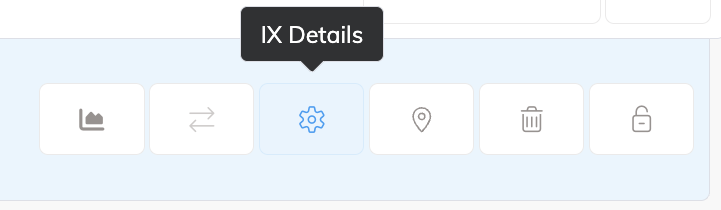
Click the IX Details icon.
-
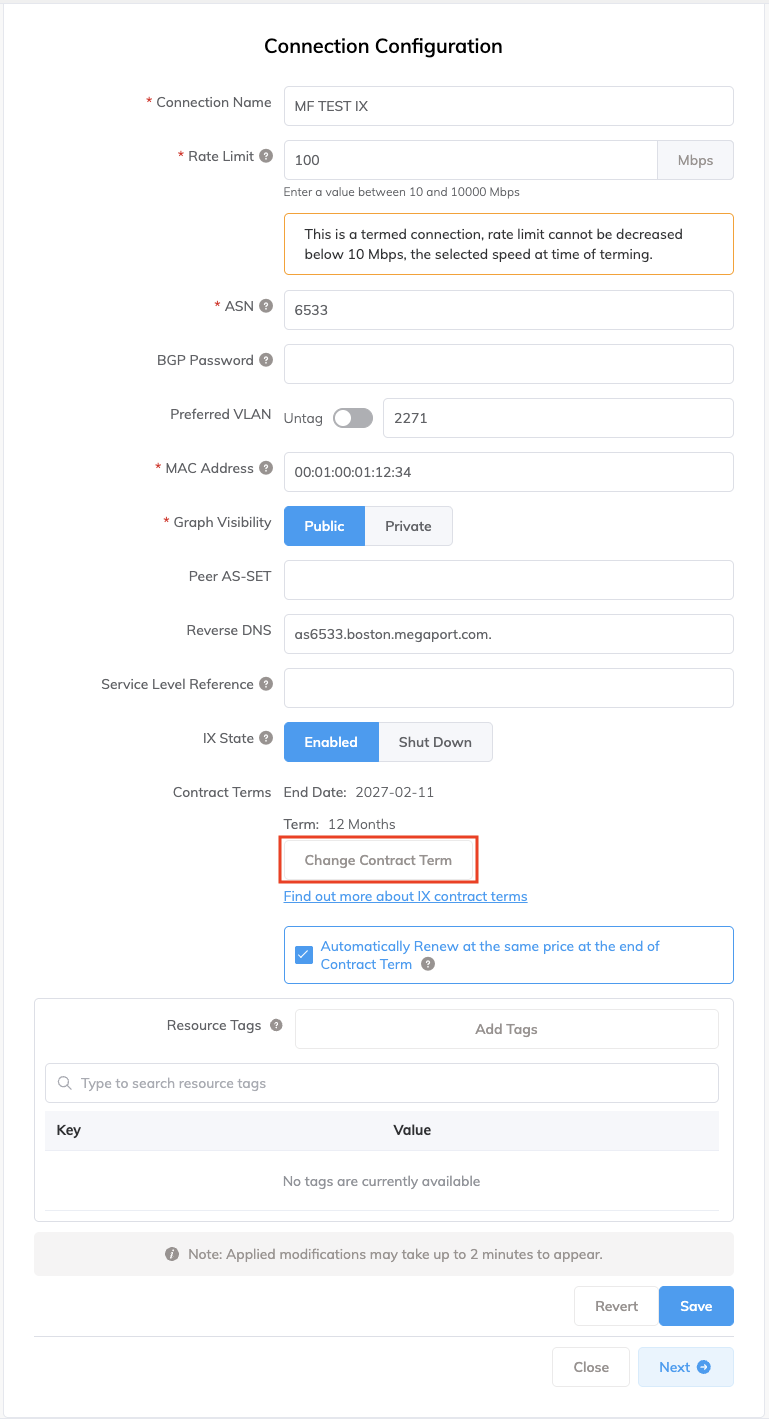
Review the contract term details for the IX.
The Contract Terms field shows the current term details for the IX.
-
Click Change Contract Term and select the new term for the IX.
-
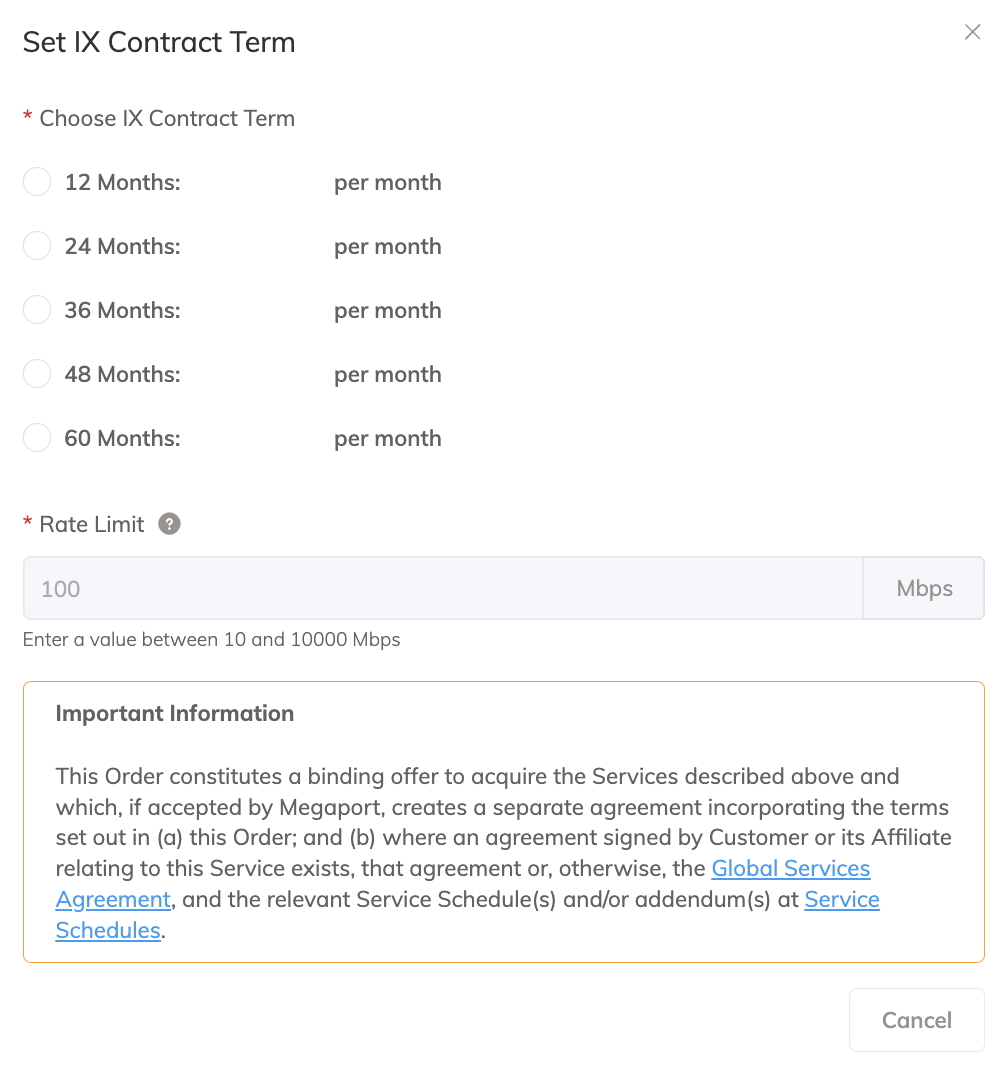
Choose IX Contract Term – Select 12, 24, 36, 48, or 60 months. IXs that are under a contract term or on No Minimum Term start their new contract term immediately.
Enable the Minimum Term Renewal option for services with a 12, 24, 36, 48 or 60-month term to automatically renew the contract at the same discounted price and term length at the end of the contract. If you don’t renew the contract, at the end of the term, the contract will automatically roll over to month-to-month contract for the following billing period, at the same price, without term discounts.
When you re-term an IX, you can optionally increase the rate limit.
-
-
Select the I agree to the terms and conditions check box to indicate you have read and agreed to the Global Services Agreement.
-
Click Start New Contract Term.
Alternatively, click Cancel to maintain the current term conditions for the IX.
IXs on No Minimum Term will continue to be billed on a pay-as-you-go basis.
If a termed IX expires, it will roll over to No Minimum Term. The term discount will no longer be applied and the rate limit will be editable.
The Portal accepts the new term at the current standard rate and will apply any applicable term discounts at the new term start date. The new Term details are shown on the IX Connection Configuration page.
For more information, see VXC, Megaport Internet, and IX Billing.
Changing the speed of a termed IX
You can increase and decrease the speed of a termed IX. For more information, see Changing the Speed of a Termed IX.
Pricing estimates
You can obtain a remote IX price estimate as follows:
-
Megaport Quoting Tool – Quickly create a quote to estimate the cost of deploying IXs, before ordering the services. Entering details into the Quoting Tool helps you plan the overall cost of Megaport services. This provides a clear idea of the design, services needed, and cost breakdown for planning.
For more information, see Quoting Service Cost. -
Megaport Portal – Test different IX configurations in the staging environment without any obligation. Create an IX to see how remote IXs are priced. Create an IX to get an immediate estimate in your currency before you deploy.
Note
By default, partner-managed accounts do not display pricing details. Discuss pricing directly with your partner.
Cancellation
You can cancel an IX at any time. Canceling an IX on a contract term will result in an early termination fee (ETF) equivalent to 100% of the remainder of the term. For more information, see Terminating an IX.
Helpful references
- Billing Overview
- Changing the Speed of a Termed IX
- Joining an IX
- Managing Minimum Term Renewal
- MCR Pricing and Contract Terms
- Megaport Internet Pricing and Contract Terms
- MVE Pricing and Contract Terms
- Port Pricing and Contract Terms
- Quoting Service Cost
- Terminating an IX
- VXC, Megaport Internet, and IX Billing
- VXC Pricing and Contract Terms