Managing Early Termination Fees
This topic describes how to waive early termination fees (ETFs) in the Megaport Portal by matching terminated services with eligible replacement services.
When you terminate a service before the end of its contract term, Megaport calculates an ETF and adds it as a pending charge on your account. Under the Megaport Global Services Agreement (GSA), Megaport allows you to waive the ETF when you order a replacement service on a contract term, with a monthly rate equal to or greater than that of the terminated service, within 30 days before or after the termination. This serves as your formal notification to Megaport of an ETF waiver request under the Global Services Agreement.
Note
If you don’t waive the ETF within 30 days of service termination, Megaport applies it to your invoice.
Prerequisites
You must be a Company Admin, Technical Admin, or Finance user to access and use ETF Management. For more information, see Managing User Roles.
Note
Managed accounts can’t access ETF Management. Contact your partner to handle ETF waivers on your behalf. For more information, see Partner-Managed Accounts.
Eligible replacement services
A replacement service is eligible to offset an ETF if it meets all of these conditions:
- It is an Eligible Service with a monthly recurring charge and term equal to or greater than the service being terminated.
- It is active within 30 days of termination.
Understanding the coverage check
The Coverage check compares the services you select from both lists:
- Terminated Services – The sum of the monthly rates for all terminated services you have selected.
- Eligible Replacements – The sum of the monthly rates for all replacement services you have selected. This must meet or exceed the Terminated Services total.
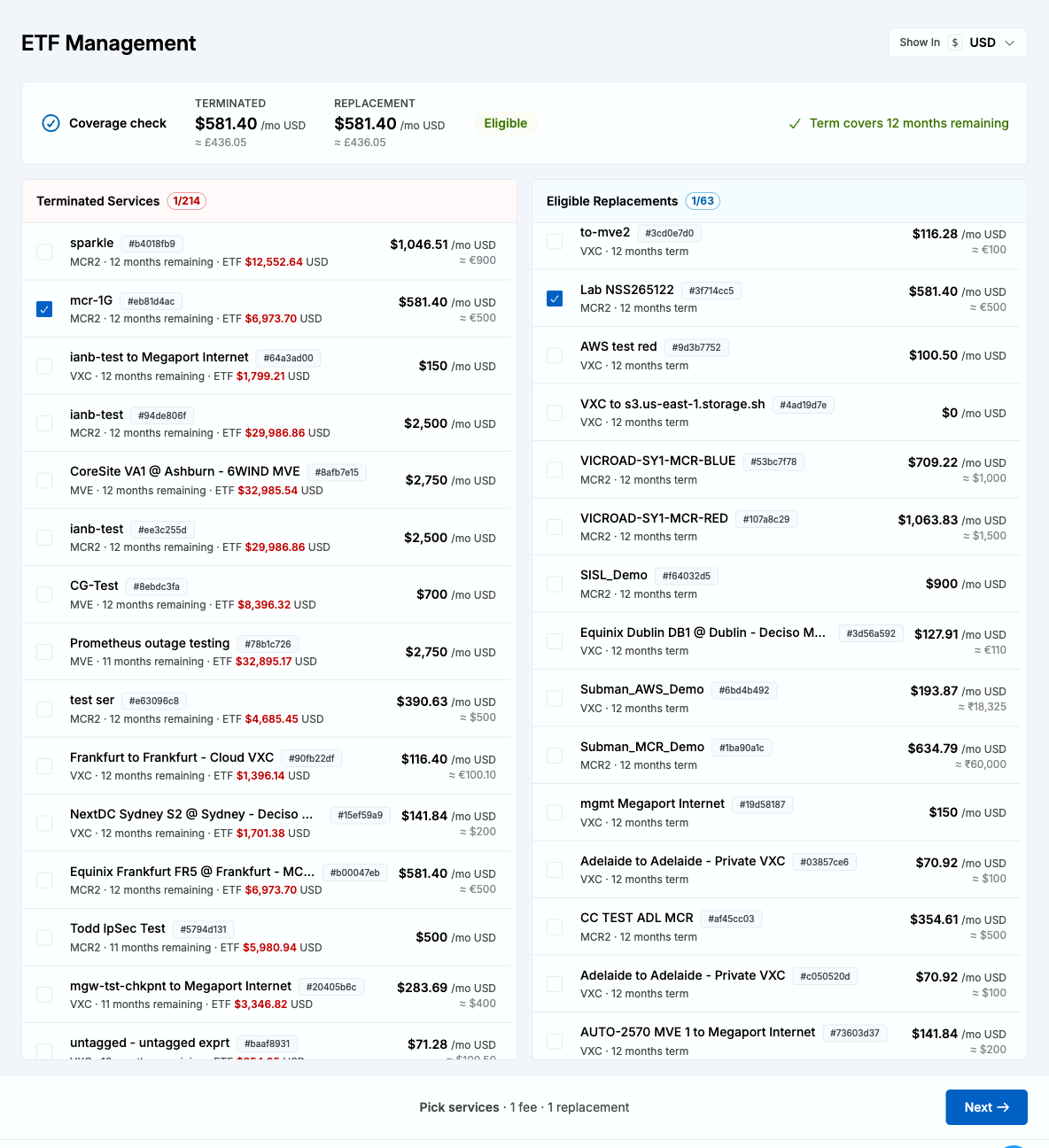
If the replacement total is less than the terminated total, the difference is shown as Short by in red, and Next is disabled. If the replacement total is equal to or greater than the terminated total, the surplus is shown in green. The Coverage check also confirms whether the contract term of the selected replacement services covers the remaining term of the selected terminated services. Next stays disabled until both requirements are met.
Add or remove services from either list until both the monthly rate and term requirements are met.
By default, amounts are shown in each service’s original currency. Use the Show In drop-down list at the top of the page to display all amounts in a single currency for easier comparison. Converted amounts are approximate and rounded to the nearest whole currency unit. Your selected currency is retained for the review step.
Changing the display currency doesn’t affect the Coverage check, which always compares amounts using a consistent currency.
Waiving an ETF
You can waive one or more outstanding ETFs in a single request by pairing each terminated service with one or more eligible replacement services.
To waive an ETF using a replacement service
-
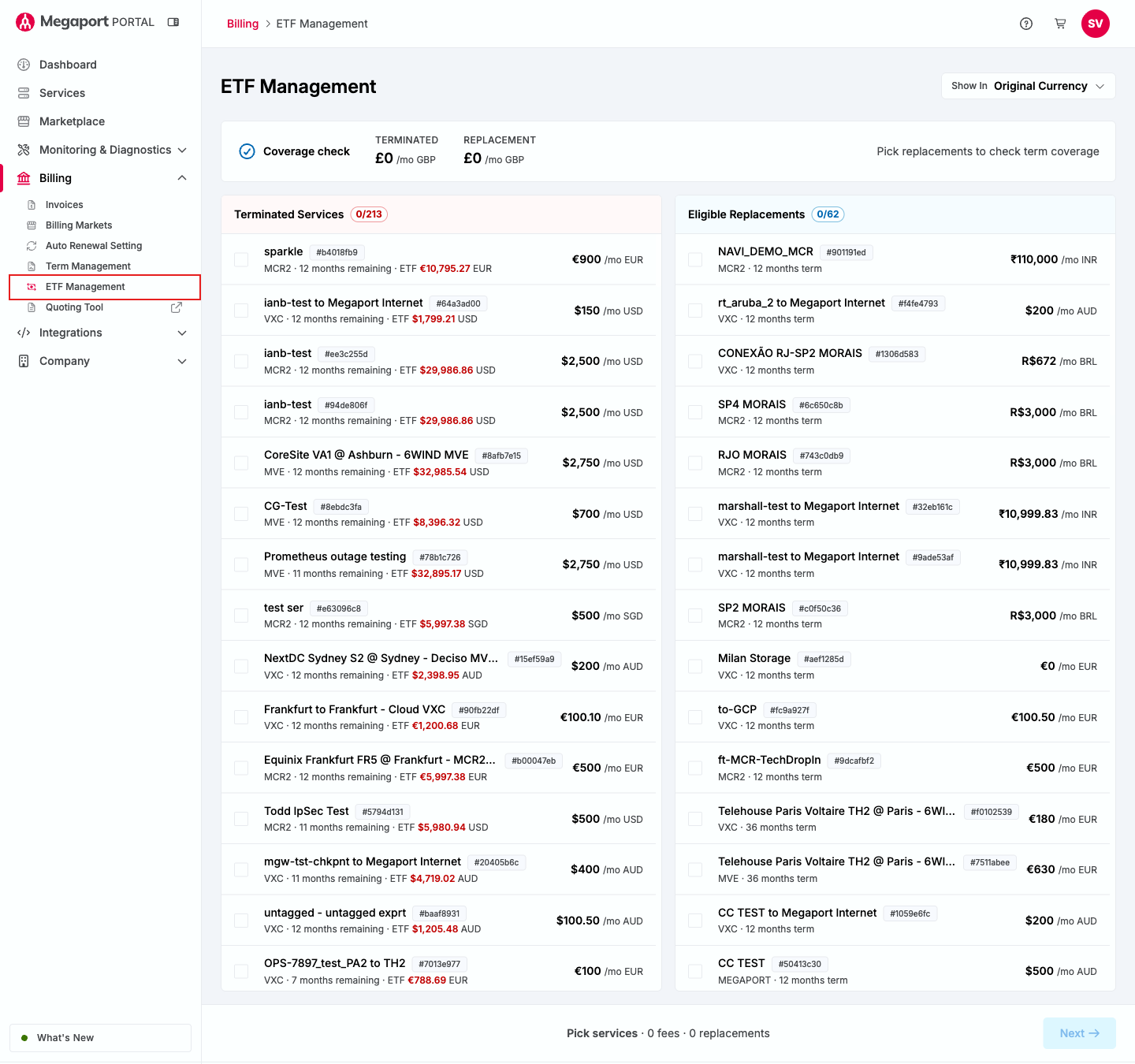
In the Megaport Portal, go to Billing > ETF Management.
-
In the Terminated Services list, select the check box next to each service with an ETF you want to waive.
-
In the Eligible Replacements list, select the check box next to each replacement service you want to use to cover the selected ETFs.
Services that can’t be combined with your current selection are grayed out. Watch the Coverage check indicators at the top of the page to confirm your selected replacements cover the combined monthly rate and remaining term of your selected terminated services.
-
Click Next.
Next is enabled only after the combined replacement monthly rate meets or exceeds the combined ETF monthly rate, and the replacement terms cover the remaining terms of the terminated services.
-
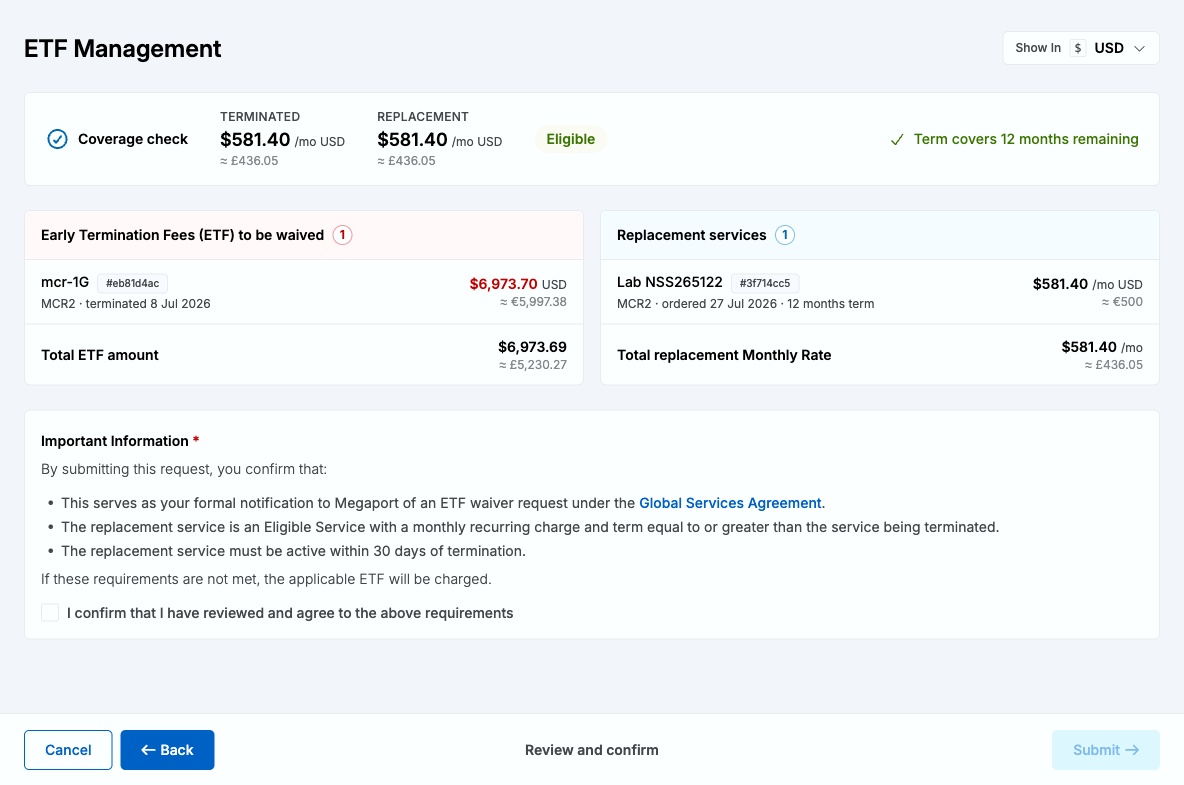
Review the ETFs to be waived and the replacement services you selected, including the total ETF amount and total replacement monthly rate.
-
Select the I confirm that I have reviewed and agree to the above requirements check box.
-
Click Submit.
If the request succeeds, a confirmation is displayed showing the number of ETFs waived and the total amount. The waived services disappear from the Terminated Services list, and the replacement services you used disappear from the Eligible Replacements list.
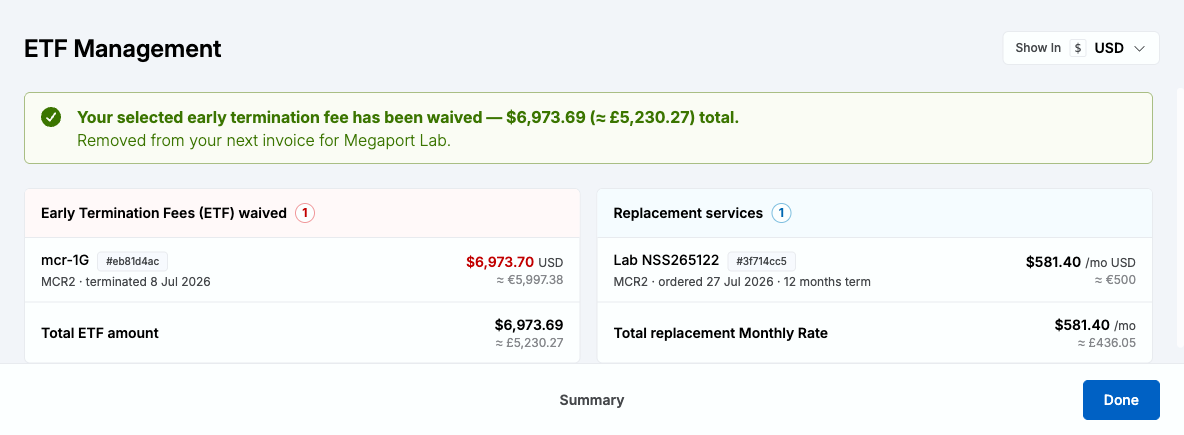
If the request fails, an error is displayed along with a summary of the ETFs and replacement services you attempted to waive, so you have a record to reference.
-
Click Done.